
News & Updates
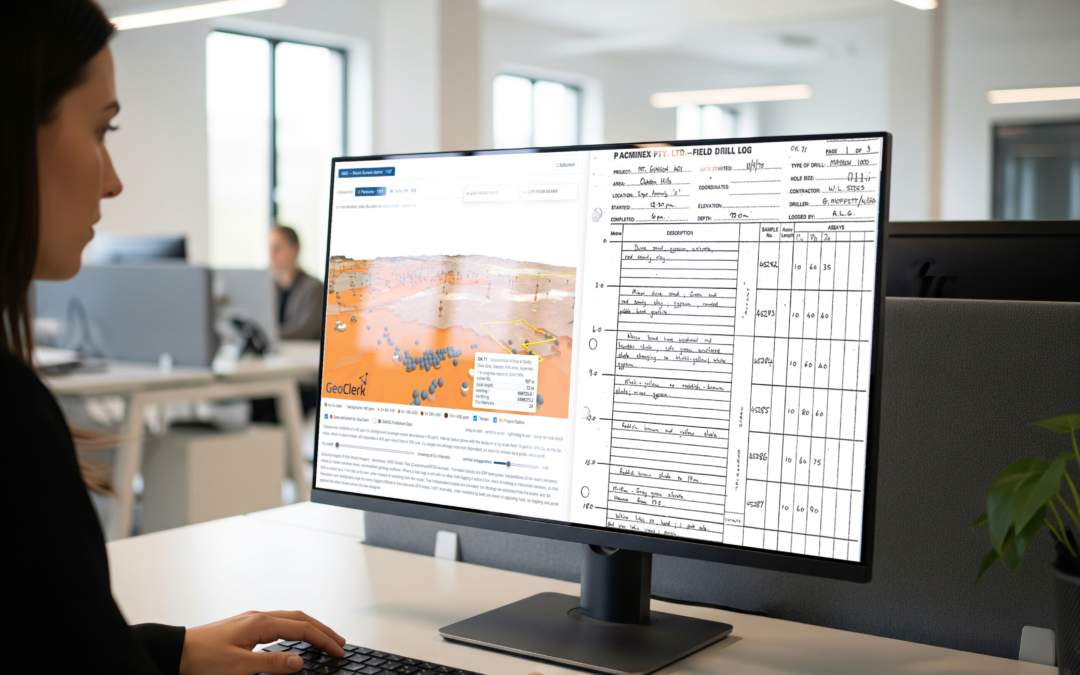
GeoClerk Launches Drill Log Digitisation Service to Unlock Historical Exploration Data
GeoClerk has launched its new Drill Log Digitisation service, helping exploration and mining companies recover valuable geological information from historical reports, scanned PDFs and legacy document archives. Across the mining industry, vast...
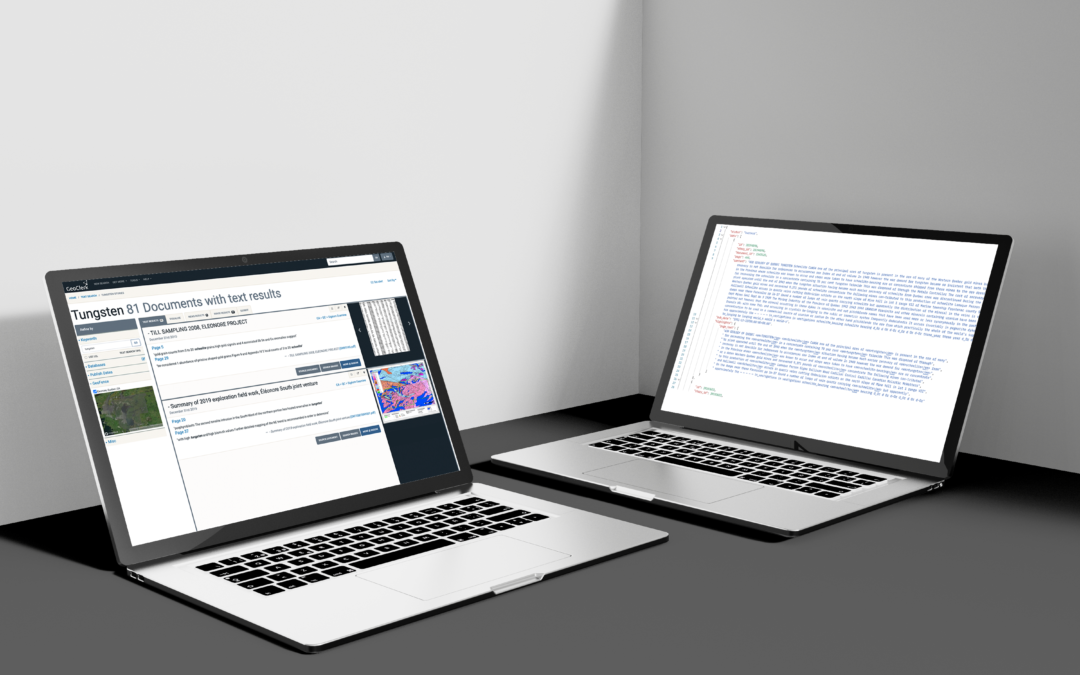
GeoClerk Launches API
For years, geoscientists working across minerals, oil and gas, geothermal, groundwater and carbon storage have relied on GeoClerk to find and interpret the world's largest corpus of sub-surface exploration material. Over those years GeoClerk has...
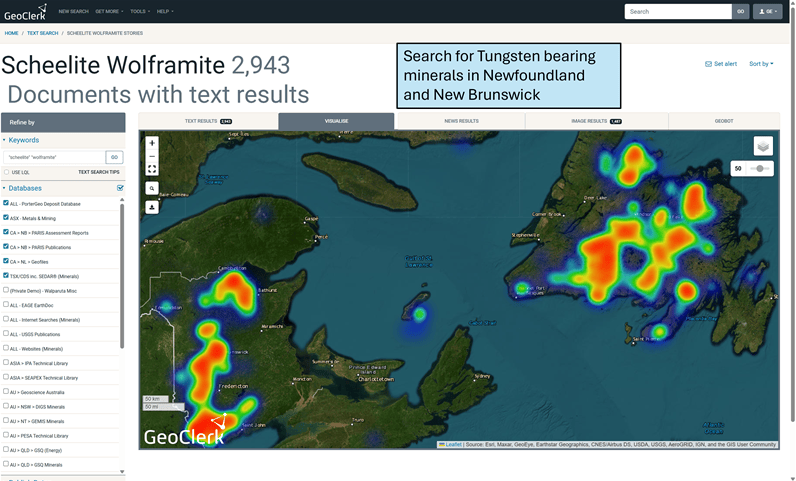
Volatility Returns – GeoClerk is Your Secret Weapon
Recent geopolitical tensions have reintroduced volatility across most commodities, but one standout has been tungsten. Prices have risen strongly over the past 12 months, driven by tightening Chinese export controls and growing strategic demand....
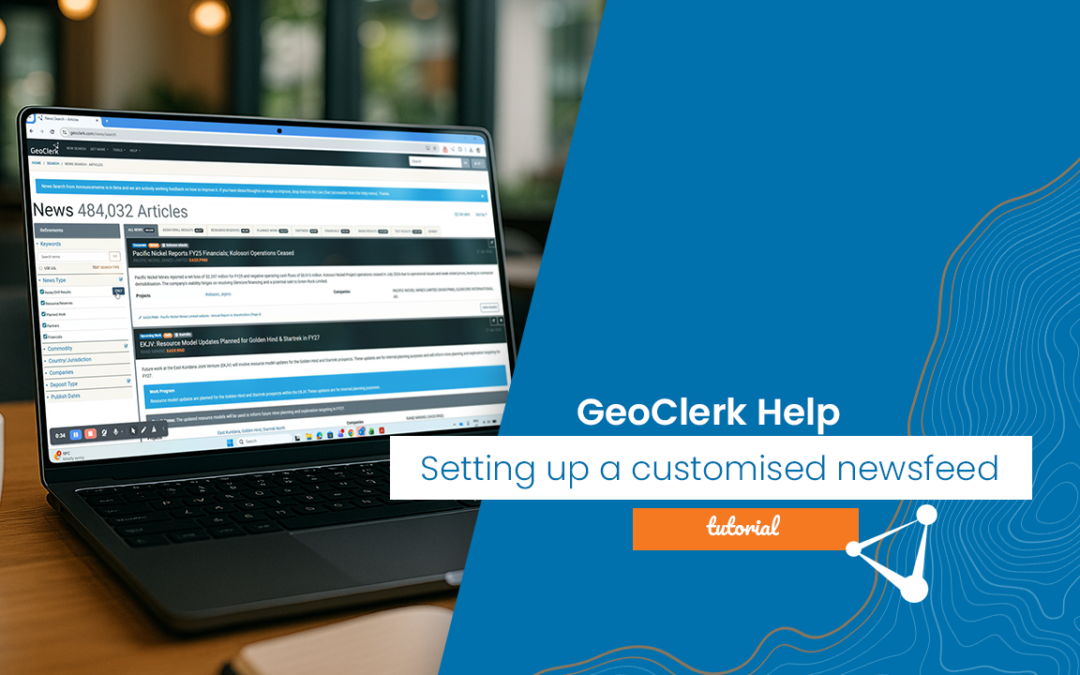
Setting up your Customised Newsfeed
Keeping up with ASX and TSX announcements can be time-consuming, especially when trying to identify technical updates relevant to your commodities or regions of interest from pages of non-focused emails from news providers. GeoClerk’s customised...
Two more Provinces, Thousands more Possibilities
GeoClerk’s Canadian coverage grows wider, with the addition of exploration assessment files and geological publications from Manitoba (iMaQs) and New Brunswick (PARIS). This expansion adds thousands of documents to the platform across two highly...
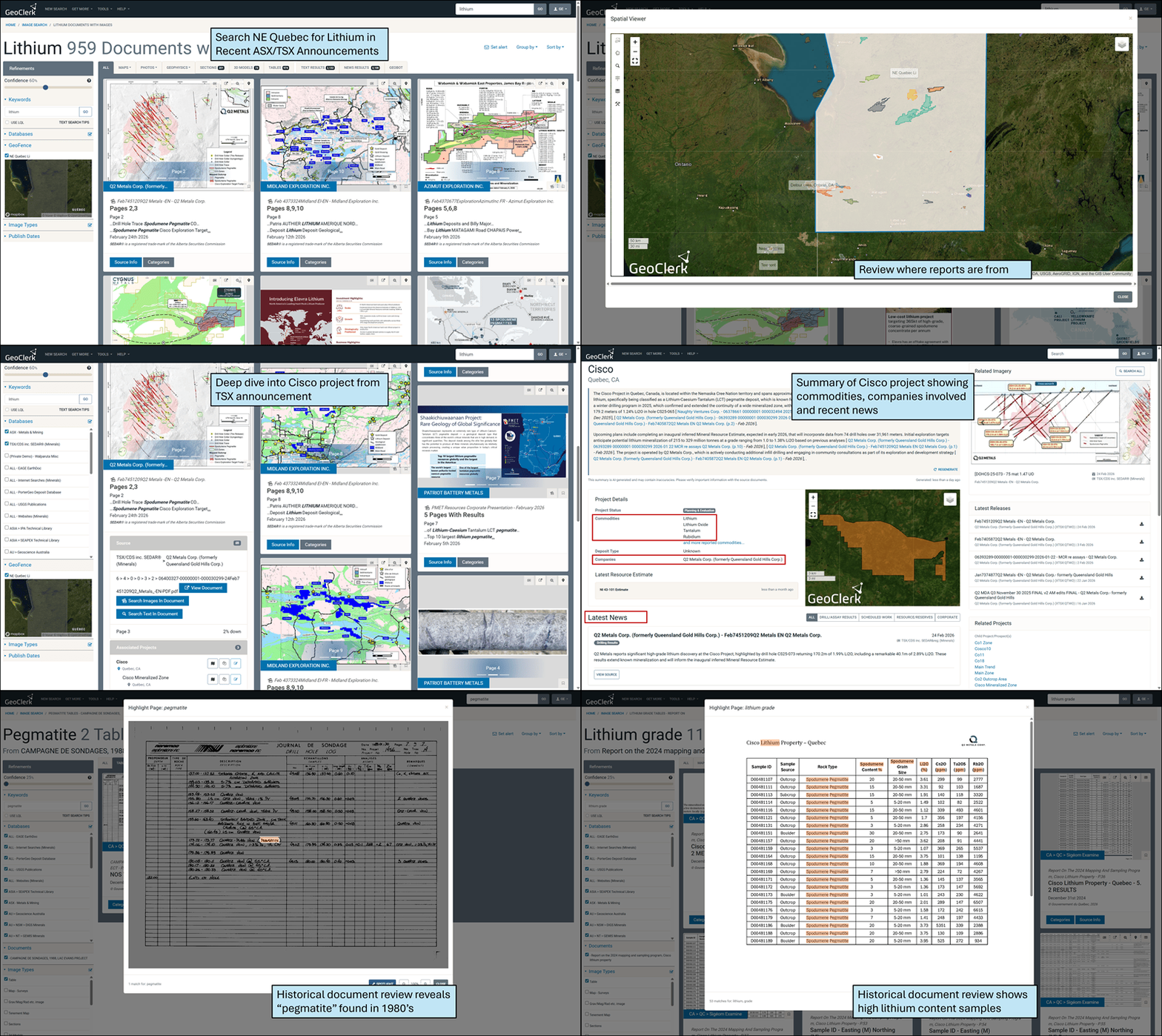
Lithium Is Stirring Again – Are You Ready?
With lithium prices showing renewed strength after a challenging couple of years, many explorers are once again sharpening their focus on advancing projects and identifying the next opportunity. As activity begins to lift, staying ahead of...
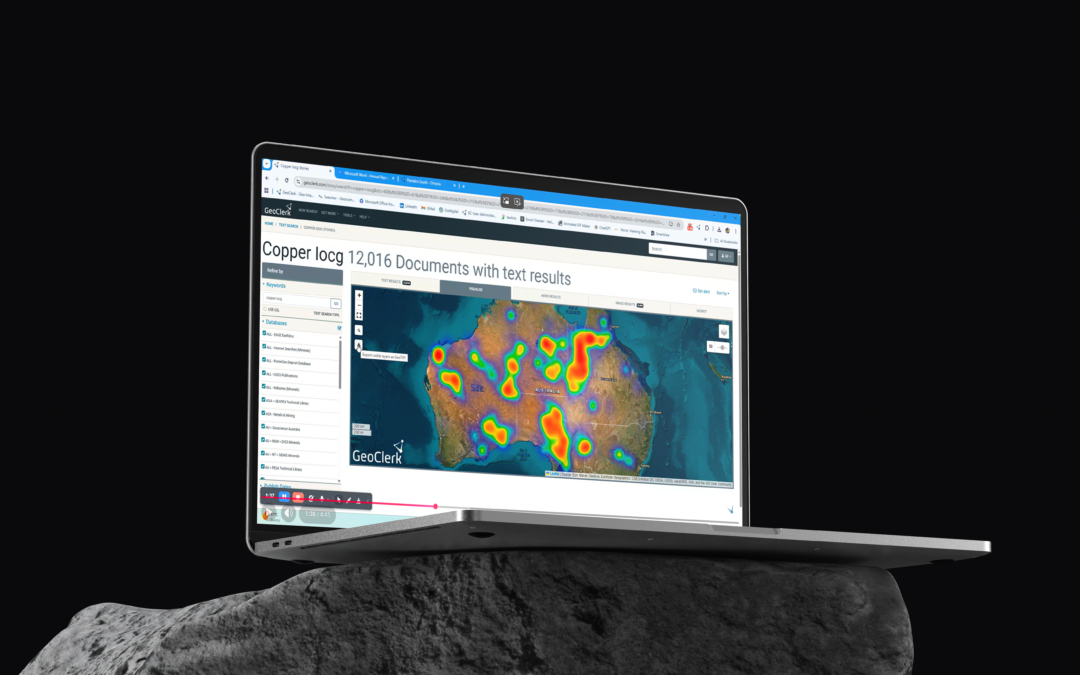
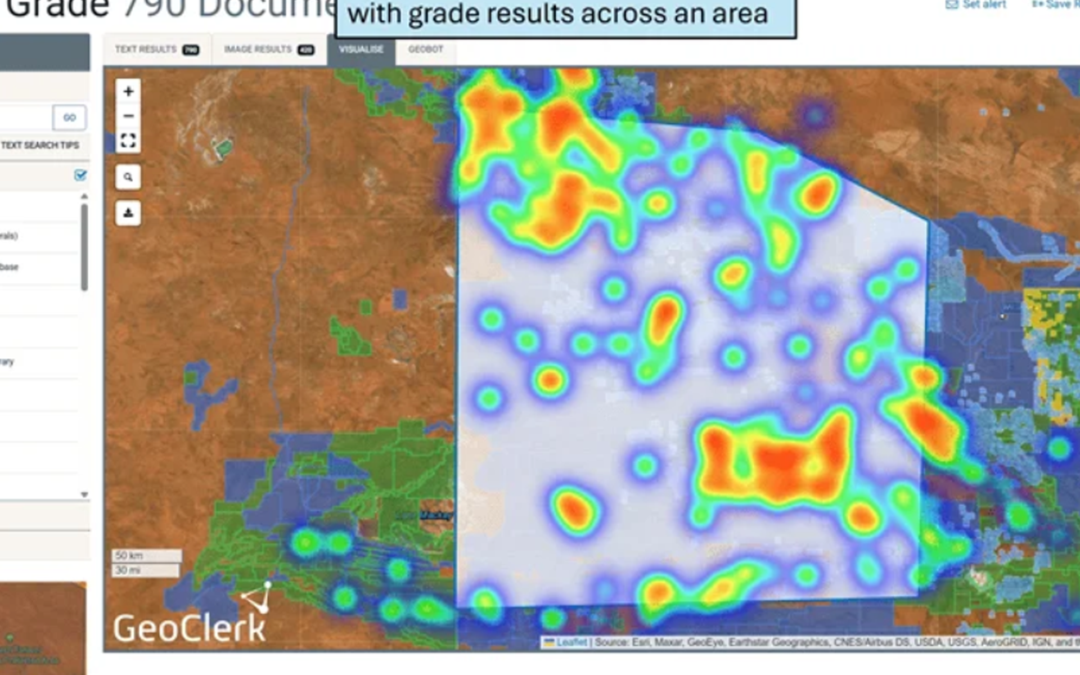
Generating & Using Heatmaps – A Refresher
GeoClerk’s heatmap functionality adds an immediate spatial dimension to your search results, transforming document or image lists into clear geographic insight. Every result returned from a query is plotted on a simple, interactive map, allowing...
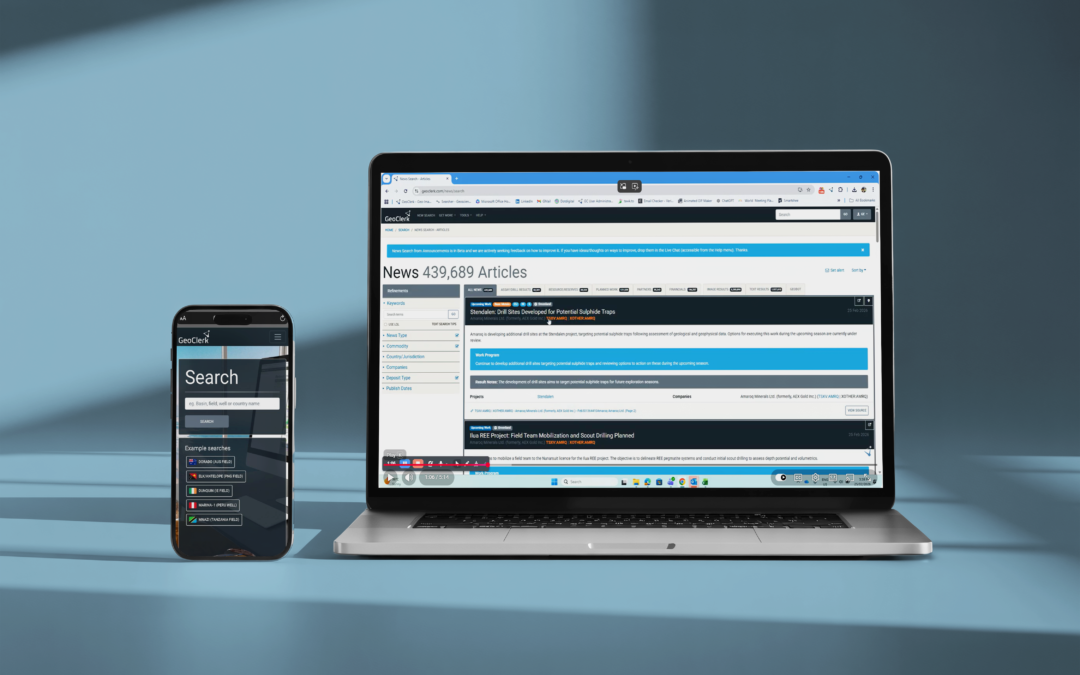
Personalised Location – Aware News Feed
Staying on top of the news that actually matters to you with GeoClerk's new customisable news feed. Filter incoming announcements by commodity, company, mineralisation stye, or area of interest to create a personalised digest delivered straight to...
GeoClerk Returns to PDAC 2026
GeoClerk, developer of the industry's premier geoscience information suite and a subsidiary of Searcher, a leading global geoscience solutions provider, is thrilled to announce its return to the Prospectors & Developers Association of Canada...
The Red Metal is Back – Explore Smarter
Copper is having a moment. Over the past five to six months, prices have climbed by roughly 30%, as the market finally catches up with what explorers and analysts have known for years: supply is constrained, and electrification isn’t slowing down...
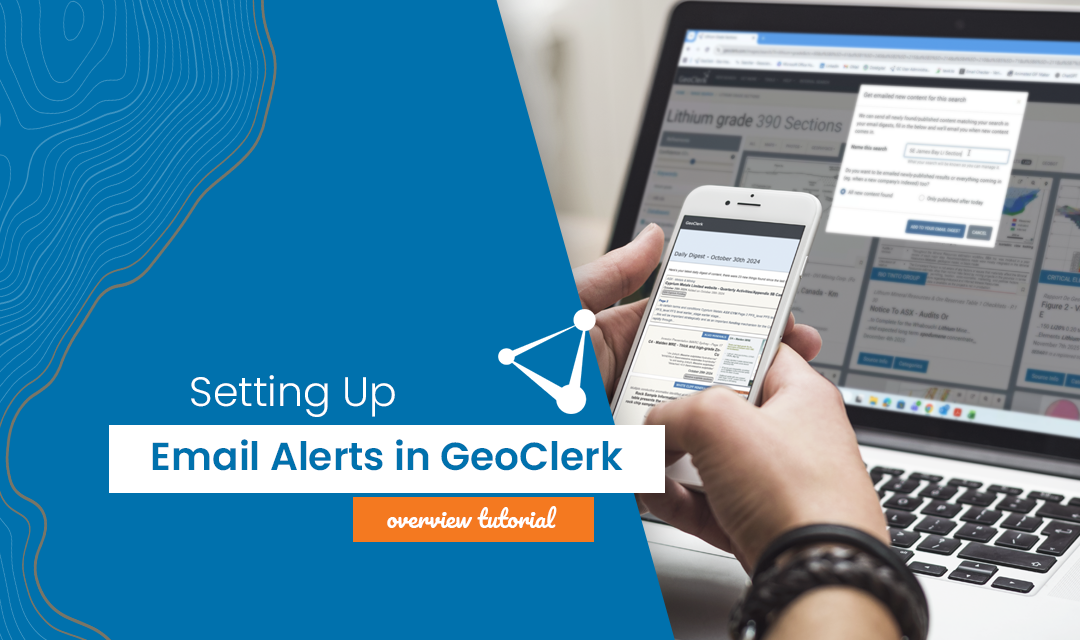
Setting up Email Alerts – A Quick Refresher
Staying on top of new information doesn’t have to mean constantly re-running searches. GeoClerk’s 'Email Alerts' ensure the latest, most relevant data is delivered straight to your inbox without users lifting a finger. Email Alerts are built...
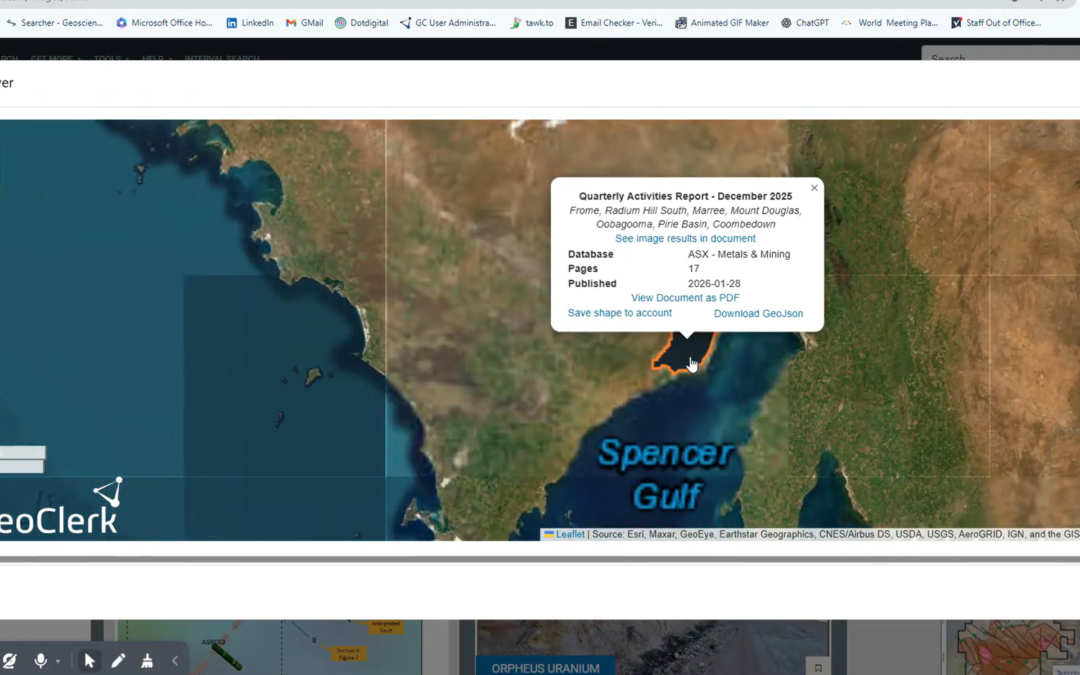
ASX and TSX Documents Now Spatially Searchable
Finding the right information in regulatory filings no longer means wading through thousands of PDFs. Through GeoClerk’s proprietary document processing workflows, ASX and TSX filings are enriched with critical spatial metadata on ingestion,...
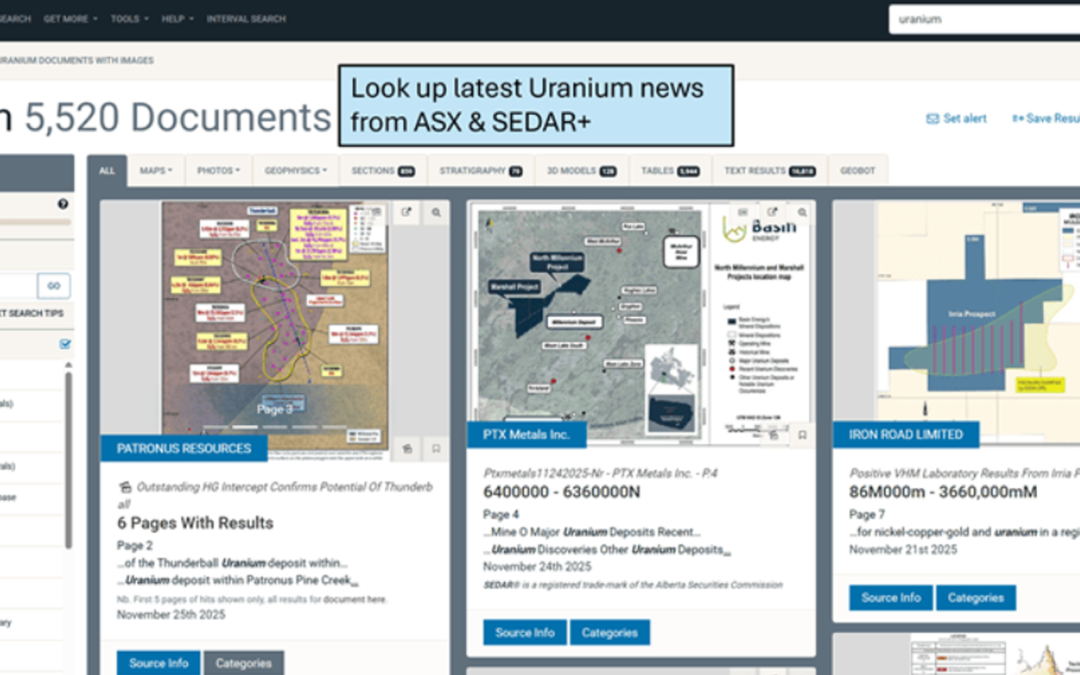
Are You Ready for the Uranium Supercycle?
Uranium exploration is heating up again, with many in the industry whispering (and a few shouting) about the potential for a new supercycle. Demand from nuclear power, both traditional reactors and the wave of SMR projects on the horizon, is...
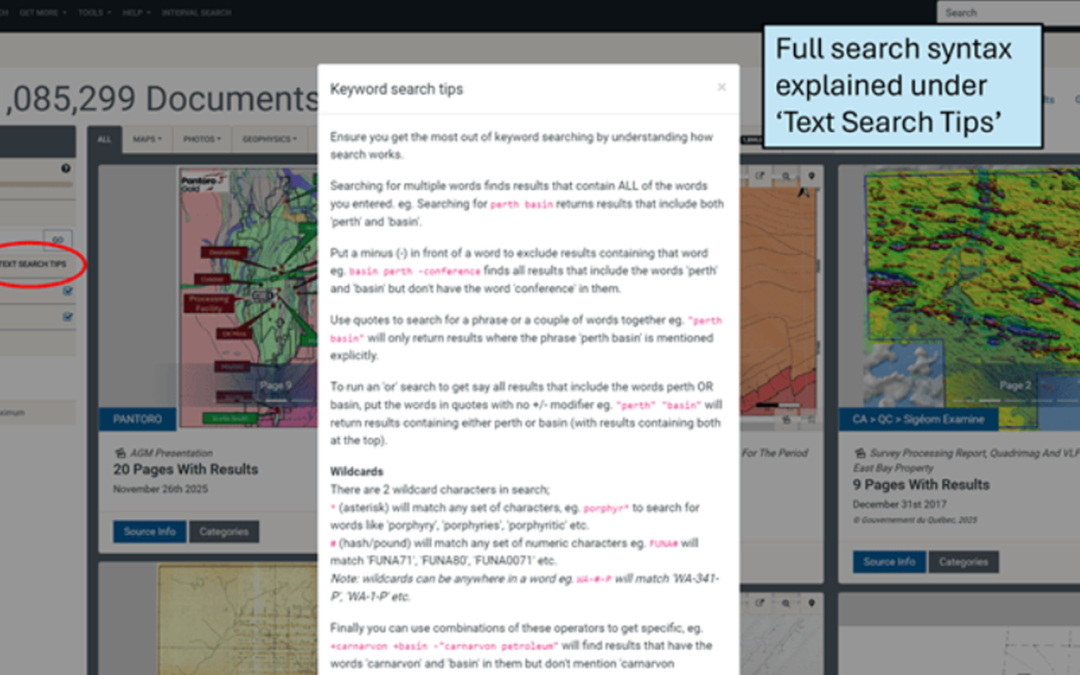
Keyword Search Tips – A Quick Refresher
Keyword searching in GeoClerk isn’t just about typing in a word and hoping for the best. You can get clever - exclude things you don’t want, run “or” searches, throw in a wildcard, or mix and match the lot to build some pretty powerful searches....
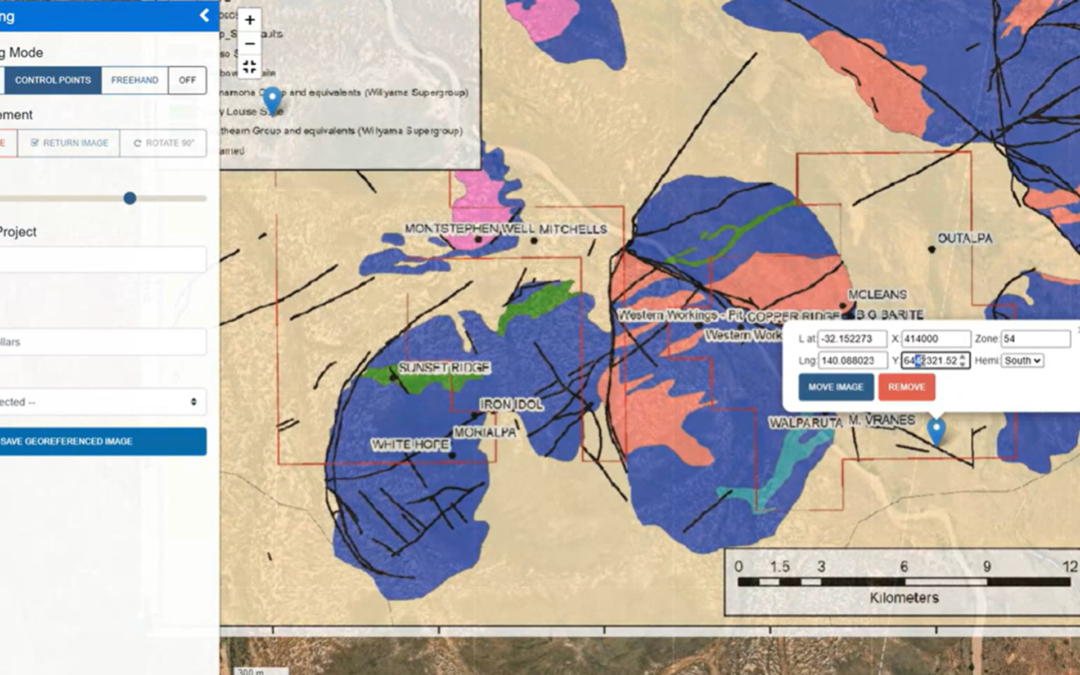
An Easy Way to Add Spatial Information to Your Document Libraries
Private document libraries can sometimes feel a bit like a dusty attic - full of treasure, but not exactly easy to navigate. GeoClerk makes extracting geological value easier with it's text, image and RAG search but historically, without lengthy...
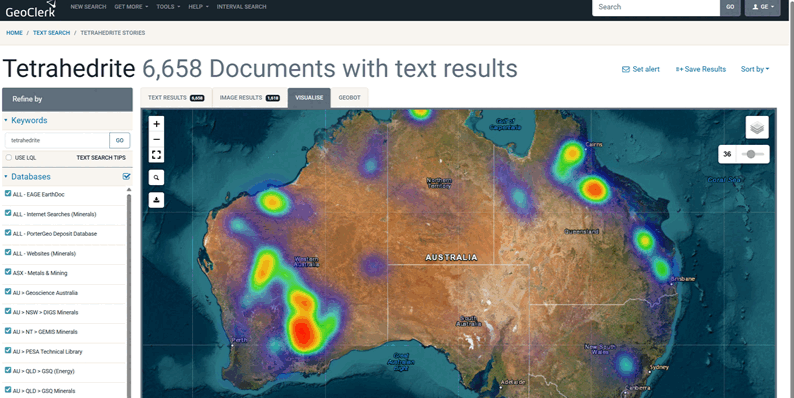
Is it Silver’s Time to Shine?
In sport, silver might always play second fiddle to gold, but in the mineral world it’s starting to look like the underdog might be starting a serious comeback. Over the past 12 months, silver prices have climbed an impressive 35-40%, opening up...
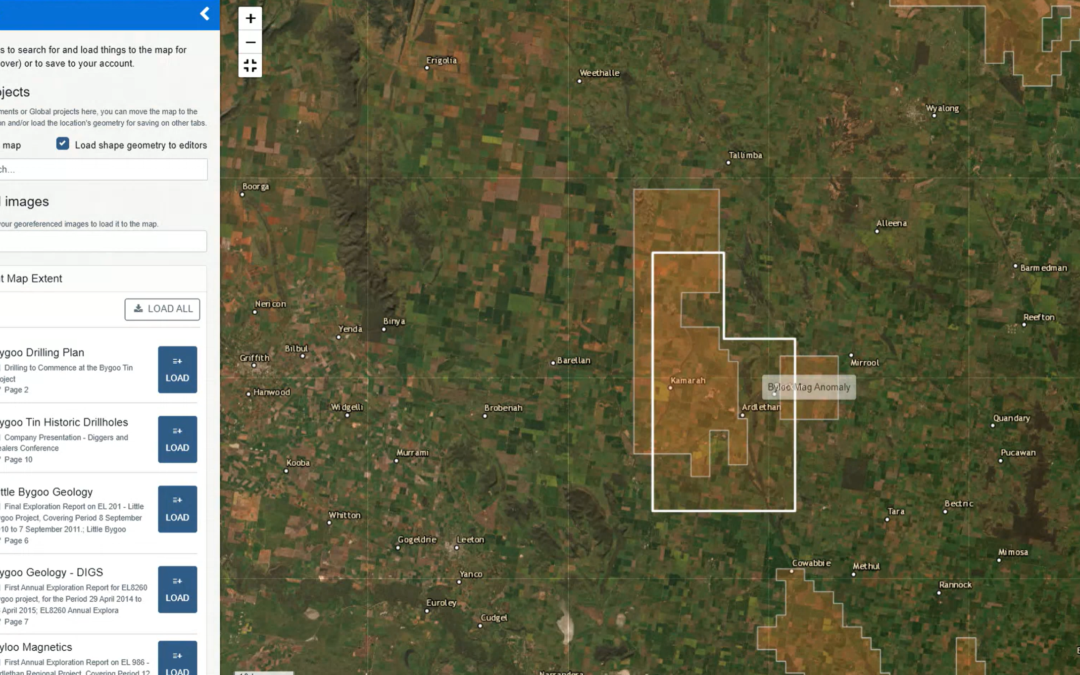
Layer it on – Smarter Maps in GeoClerk
We’ve rolled out another upgrade to GeoClerk’s spatial tools - this time making working with layers far more powerful and flexible. Previously, only a single georeferenced image could be loaded into the viewer, with limited layer stacking and no...
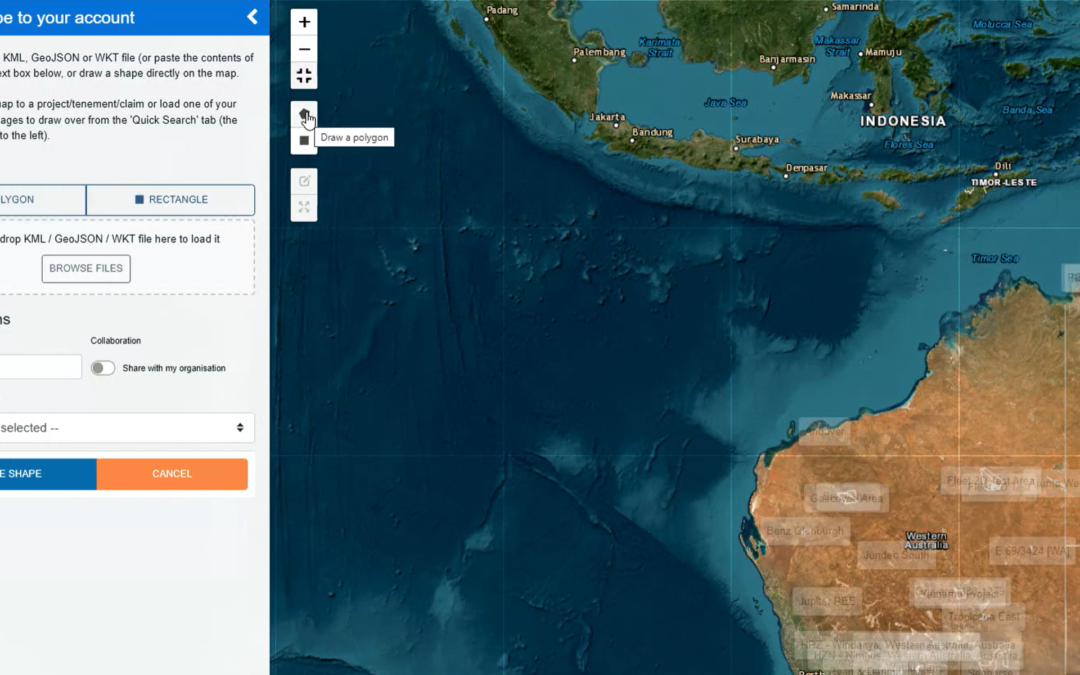
Creating Shapes in GeoClerk – A Quick Refresher
Over the past few months, GeoClerk’s spatial viewer and georeferencing interface have had a number of updates, making it a good time to revisit the different ways you can create shapes in the platform. The video below walks through all the options,...
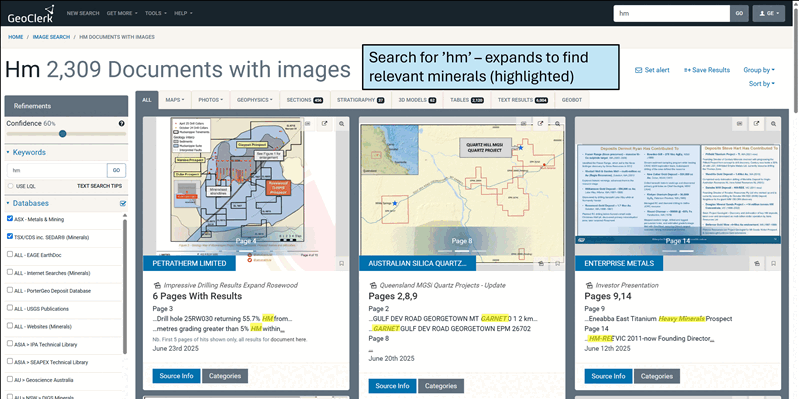
Things are getting heavy in the Eromanga
Heavy mineral exploration is heating up in South Australia. Recently, Petratherm (ASX:PTR) announced an expansion of their Ti-HM Rosewood prospect within the Muckanippie Project, while Copper Search has been busy identifying new HM targets at their...
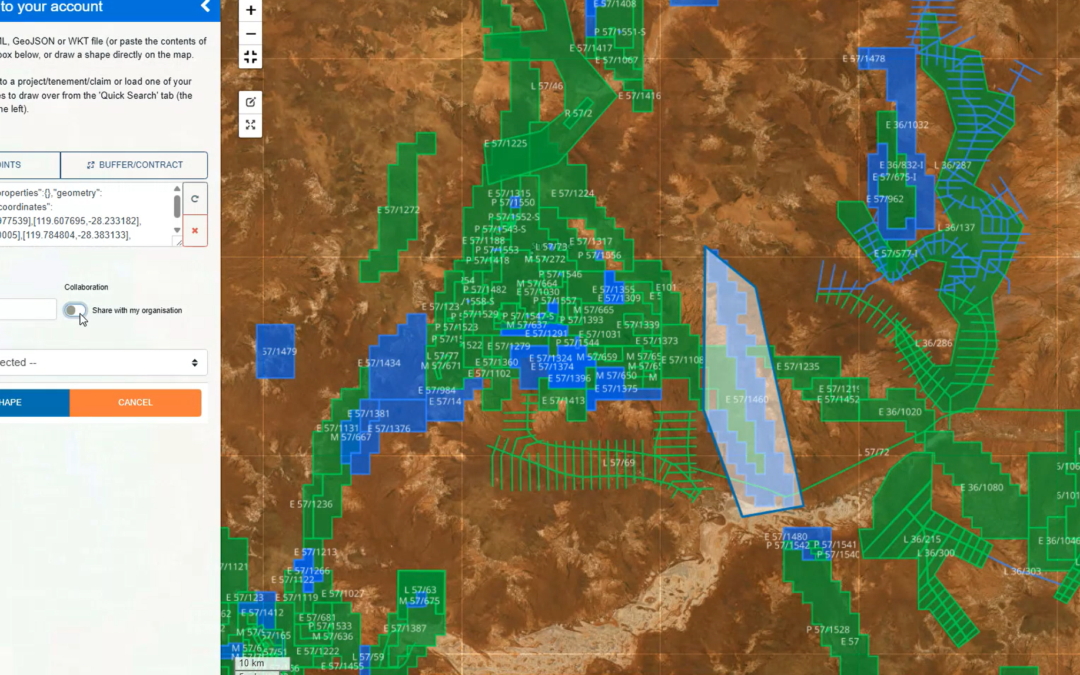
Spatial Viewer Update
We’ve given the Spatial Viewer a bit of a makeover! All the controls have moved right into the map itself, so no more hopping over to the sidebar. This means you can go full screen to georeference images, work with shapes and have everything you...
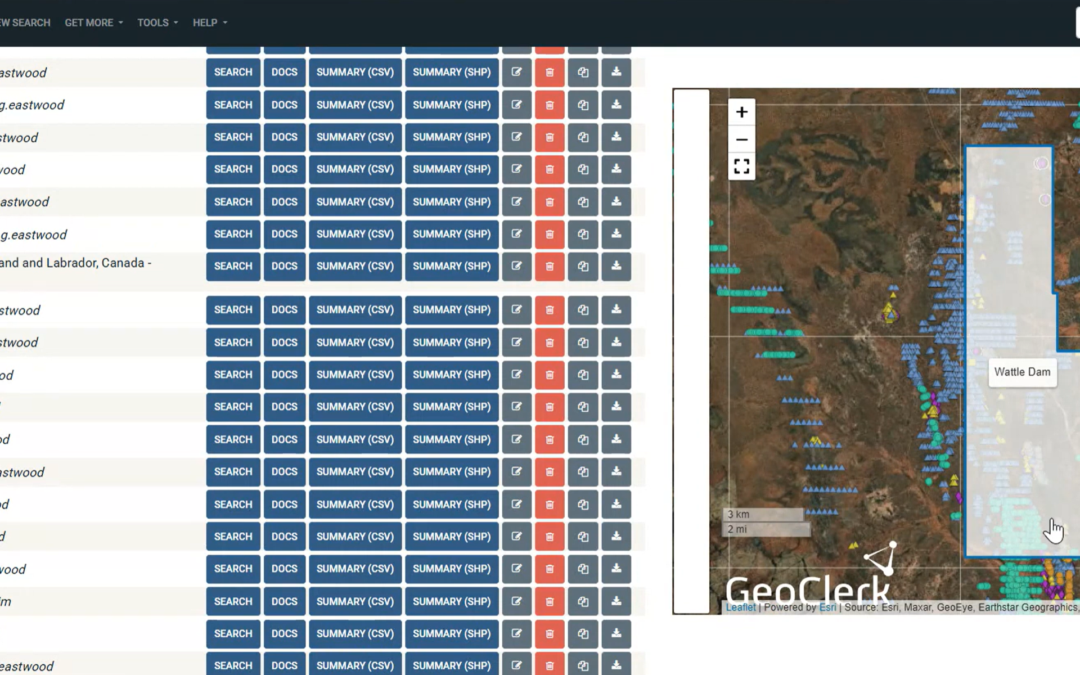
Compiling Historical Drilling Assays – A GeoClerk Workflow
GeoClerk streamlines the process of locating historical drilling results and compiling them into digital, ready-to-use records. In the video below, we demonstrate a practical workflow using an area known to contain legacy drilling data of varying...
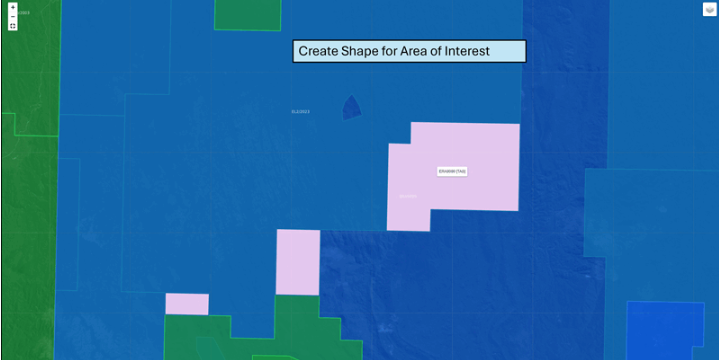
Getting EDGI in Tassie
Explorers chasing tin, copper, antimony, and more are getting EDGI in Tasmania - with good reason. The state government’s Exploration Drilling Grant Initiative (EDGI) is handing out nearly $500,000 in Round 11 funding. And it works: Round 10 led...
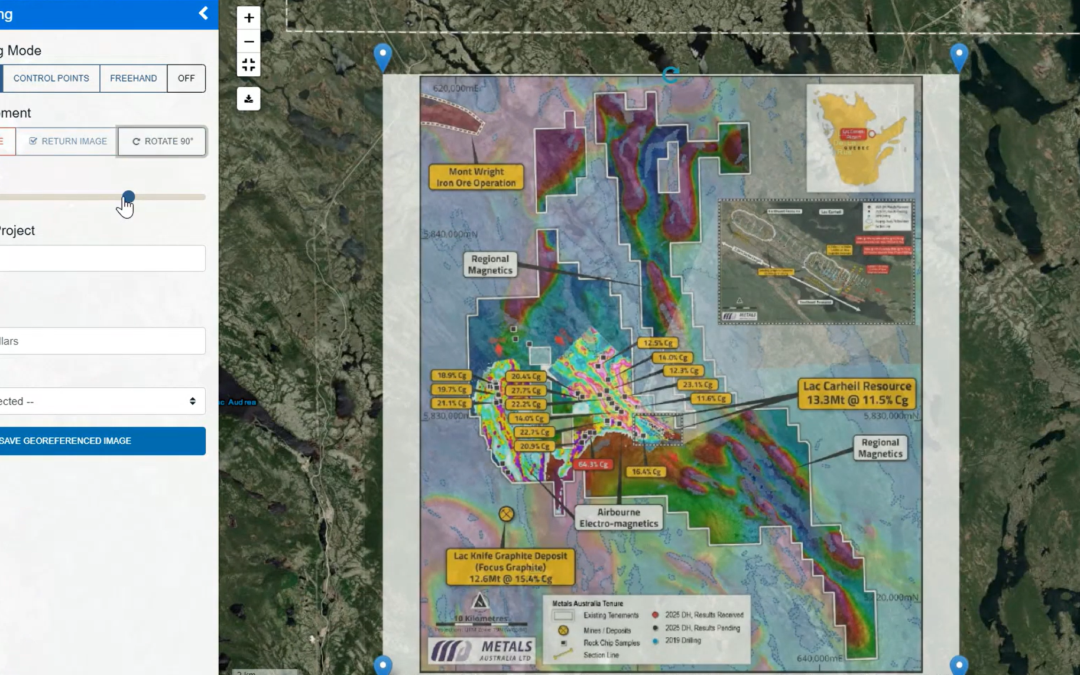
Georeferencing Gets a Makeover
After expanding georeferencing to cover images without spatial metadata (as featured in April’s newsletter), GeoClerk is back with more upgrades to the tool - this time with a sleek, refreshed interface designed to make it faster, smarter, and even...
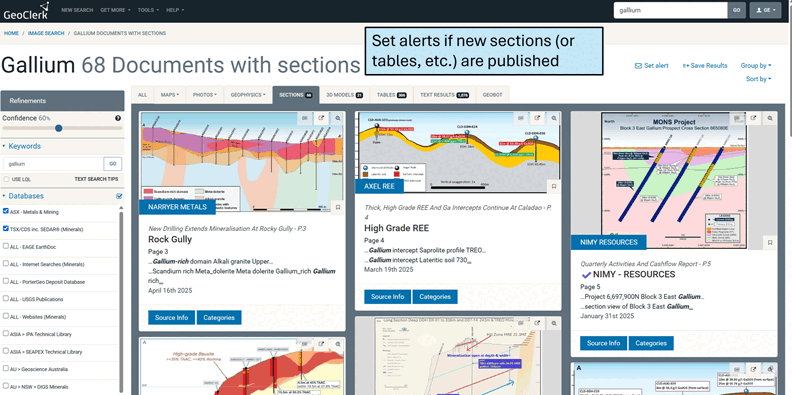
From Embargoes to Opportunities
With China tightening the reins on exports of critical minerals like scandium, gallium and rare earths, the global spotlight is swinging back to local exploration and development. For savvy explorers, that spells opportunity and GeoClerk is here to...
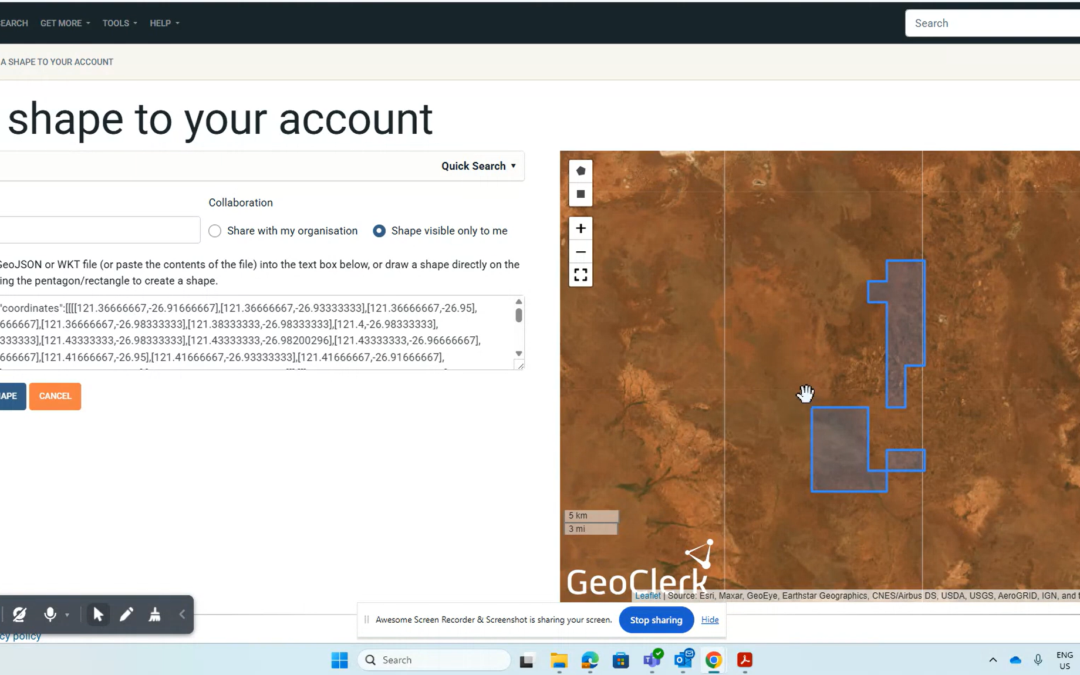
Quick Add Tenement & Project Shapes
Adding shapes in GeoClerk just got a whole lot easier. If you know the tenement ID and you’re in Australia, you’re sorted - just pop it into the new Quick Search tool under ‘Add New Shape’, select it, and save. That’s it. No fuss, no digging around...
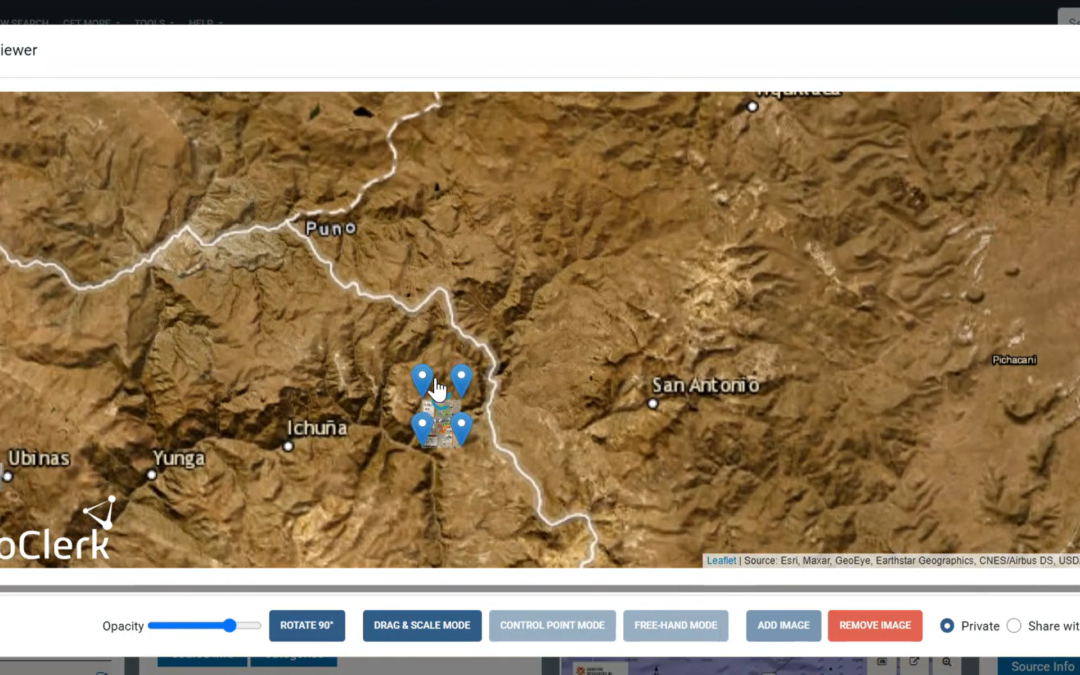
Georeferencing Got Smarter & Easier
GeoClerk’s quick georeferencing tool is already a favourite for dropping maps and spatial geophysics into the right spot - and it recently got even better, allowing users to run it on documents that don’t have any spatial metadata at all. Just...
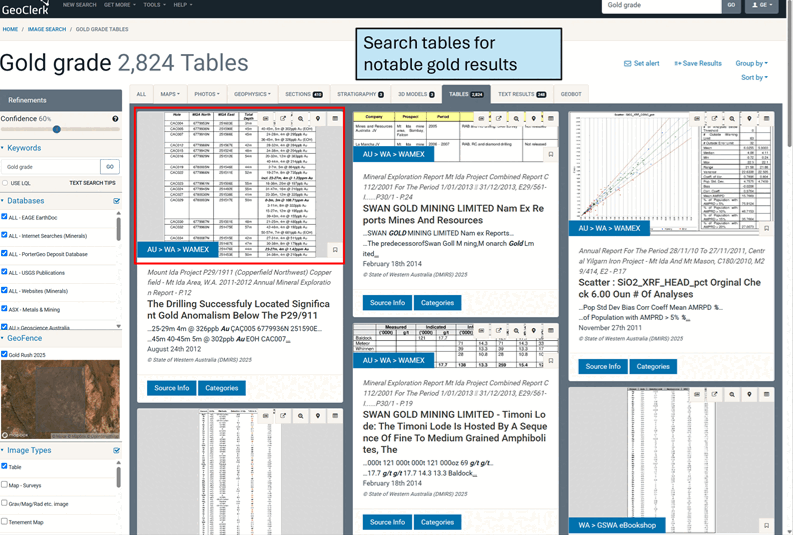
Gold Rush 2025 – Unearthing Opportunities with GeoClerk
It might not have the drama of a 19th-century gold rush, but with prices soaring, it seems everyone’s looking to cash in. A strong USD is only adding fuel to the fire, sparking fresh exploration in Australia, Canada, and beyond. Enter GeoClerk—your...
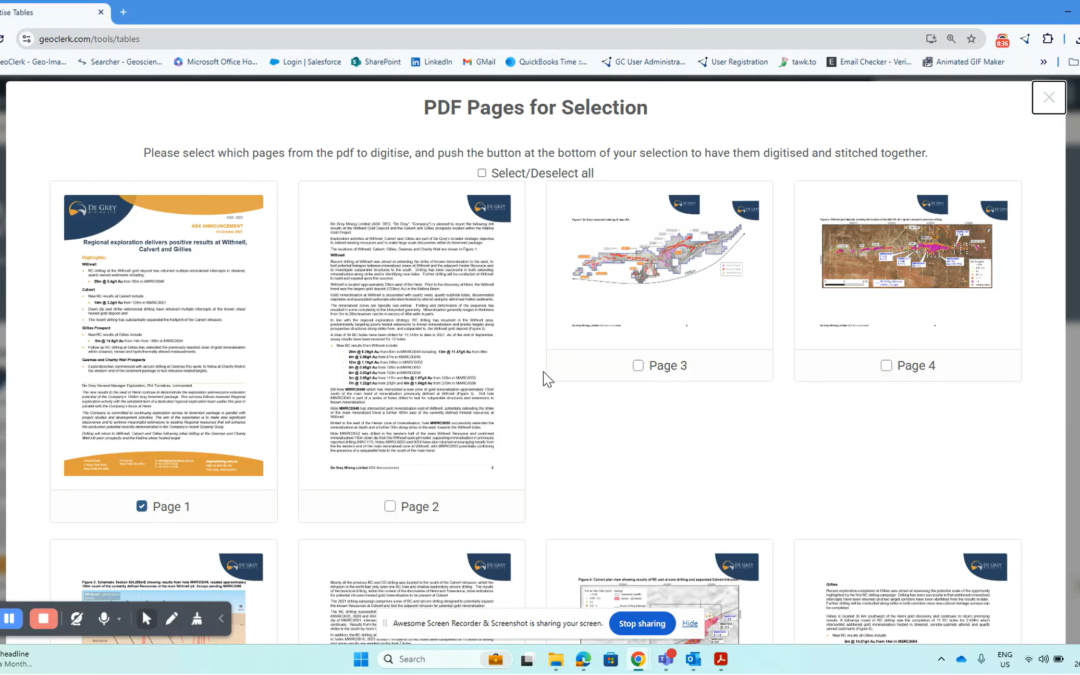
Digitise Tables on Demand from PDFs in Seconds
We’ve just upgraded our table digitization tool—now you can upload entire PDF documents and extract tables in just a few clicks. Previously, you could convert images of tables into CSV files, but thanks to your feedback, we’ve made it even easier....
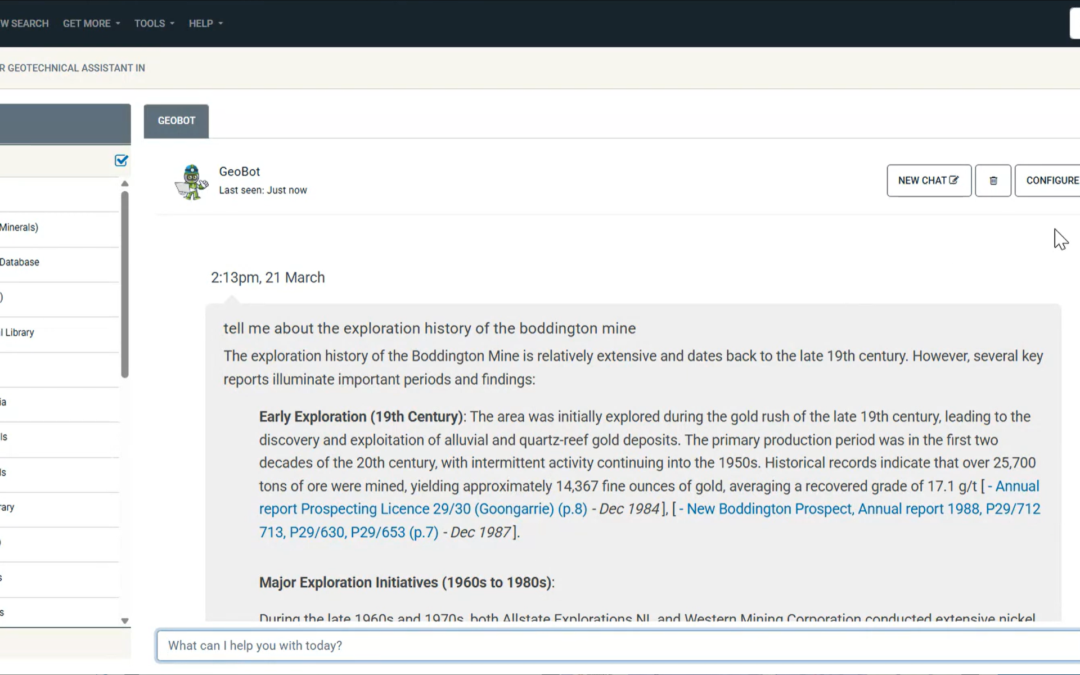
Use GeoBot to Search for You
GeoClerk’s newest GenAI tool is here to make your searches faster, smarter, and more intuitive. Powered by cutting-edge Retrieval-Augmented Generation (RAG) technology, GeoBot delivers precise, on-demand answers to even the toughest geological...

GeoClerk Raises Over $8,000 For Families In Need
On the 22.03.2025, a team made up a GeoClerk employees and their families took on the 42km Up All Night challenge, walking through the night to support Ronald McDonald House Charities Western Australia. The team completed the overnight walking...
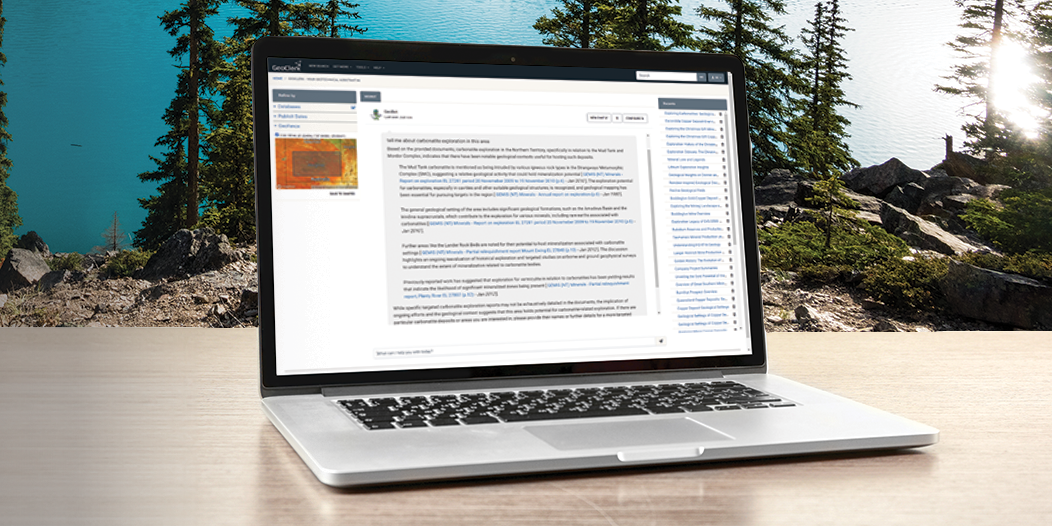
GeoClerk Unveils GeoBot: A Generative AI for Generative Geologists
GeoClerk, a Searcher Intelligence Product, is excited to introduce GeoBot, an AI-powered assistant designed to revolutionise the way geoscientists interact with data. Now included with every GeoClerk subscription, GeoBot provides precise, on-demand...

Alaska – The Last Frontier Becomes the First for GeoClerk
Alaska has long been a magnet for minerals explorers, so if you’re also exploring ‘The Last Frontier’ you’ll be pleased to know that it’s the first US state to get it’s own add-on database in GeoClerk. In response to your requests, we’re thrilled...
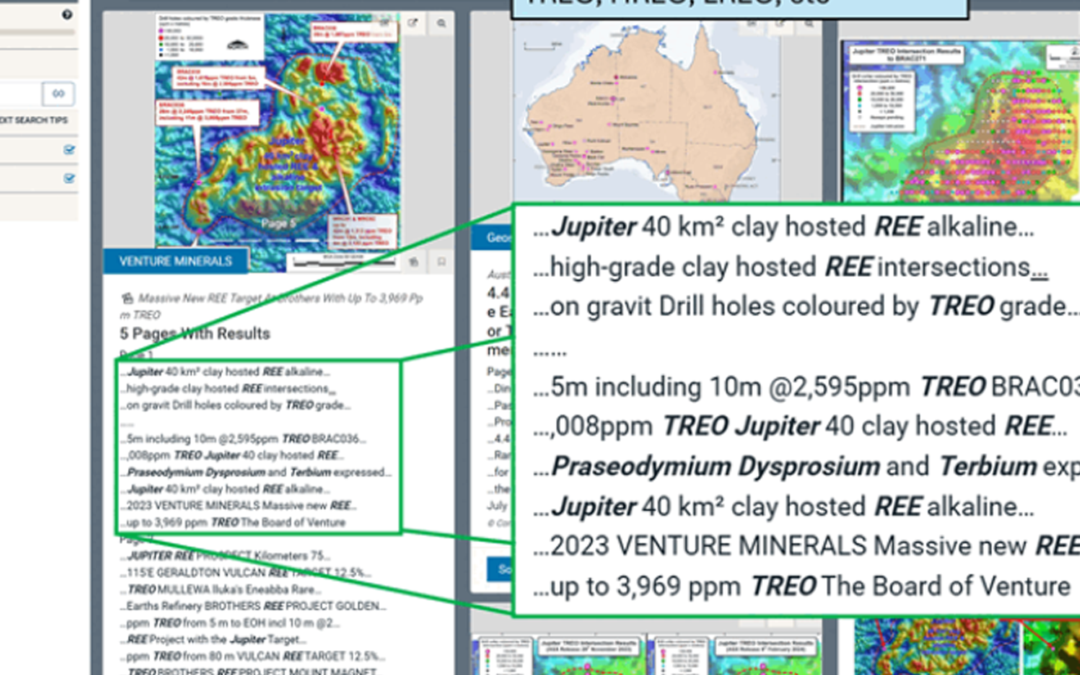
Using Search Expansions for the Best Results
GeoClerk ensures you never miss critical information hidden in old documents by offering powerful search expansions for popular metals and minerals. Here’s how it works: Smart Metal Searches: A query for "lithium" doesn’t just find the word—it...
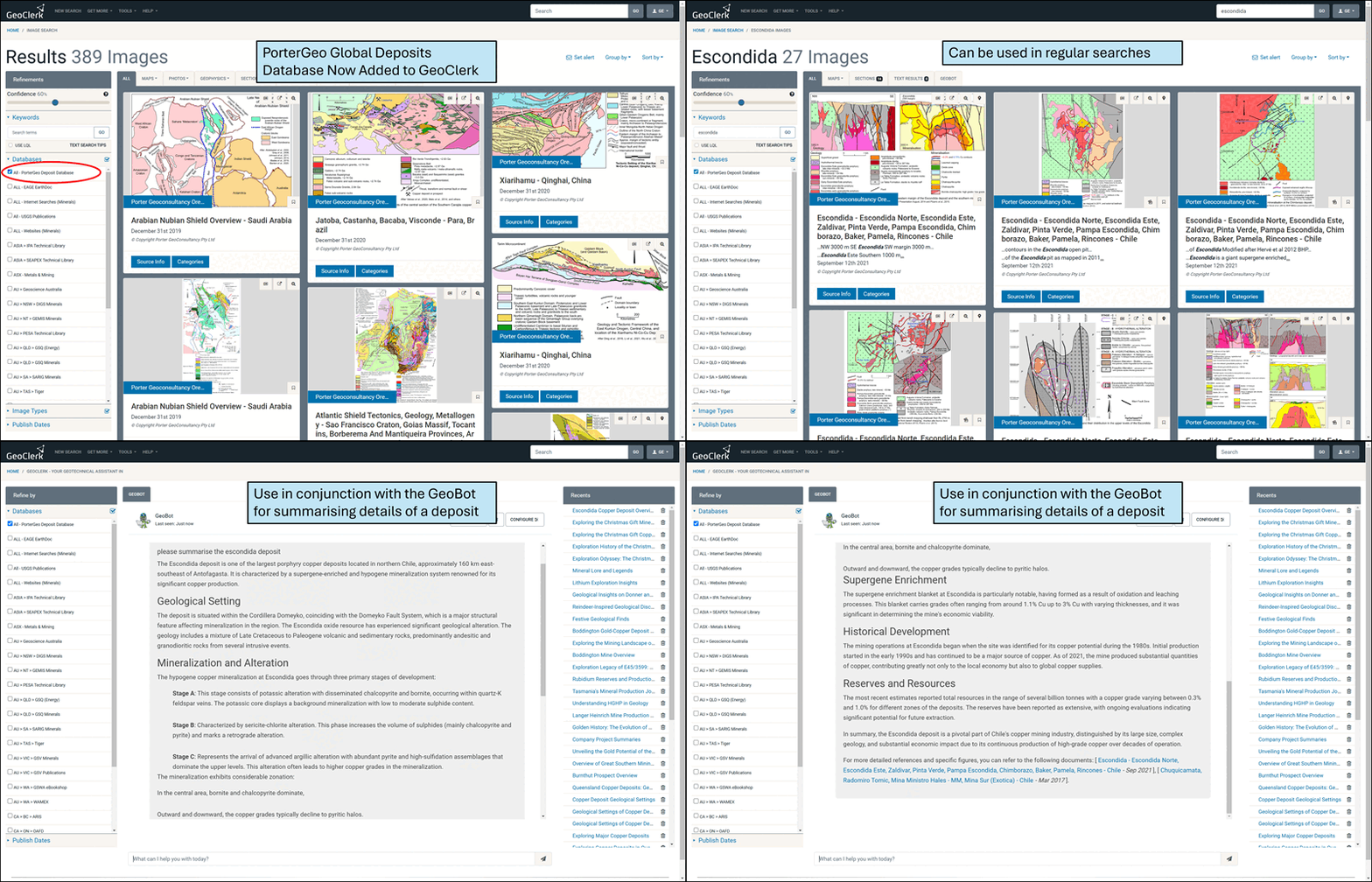
PorterGeo World Ore Deposits Database
All GeoClerk subscribers now have access to Mike Porter's treasure trove of information on major deposits across the globe. Many of the deposits are spatially tagged and will subsequently be returned in global spatial searches. All results link...
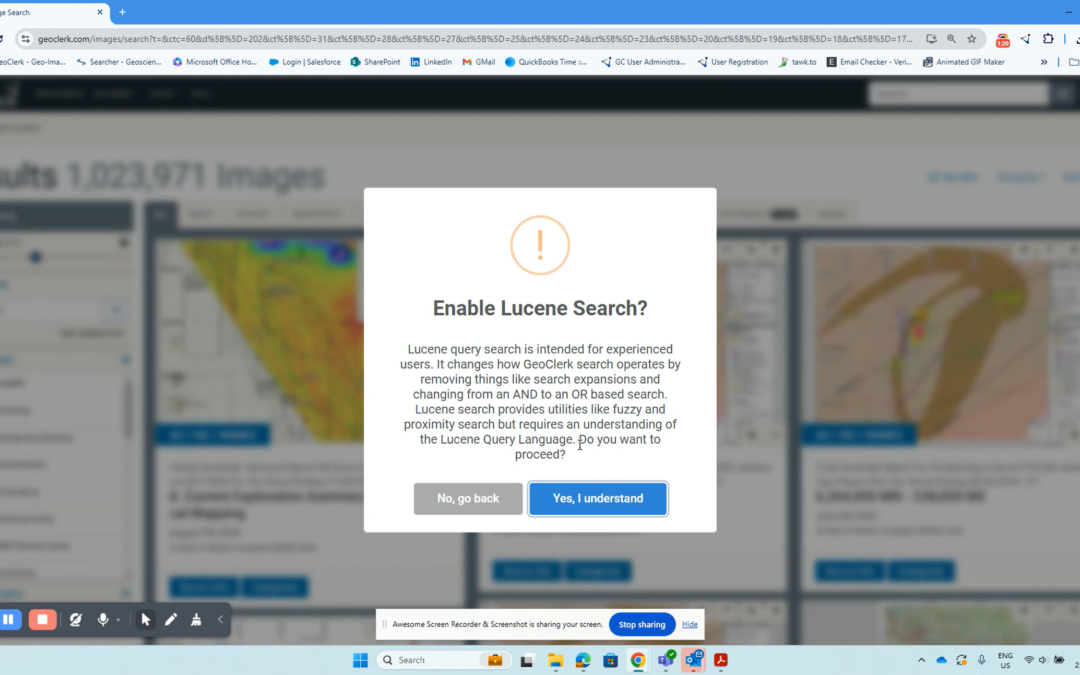
Lucene Query Language – For the search ninjas out there
After some user requests, Lucene Query Language (LQL) searching has been enabled on both Image and Text search.. We have always aimed to keep GeoClerk intuitive and beginner-friendly, but for those who love diving into the deep end with fuzzy...
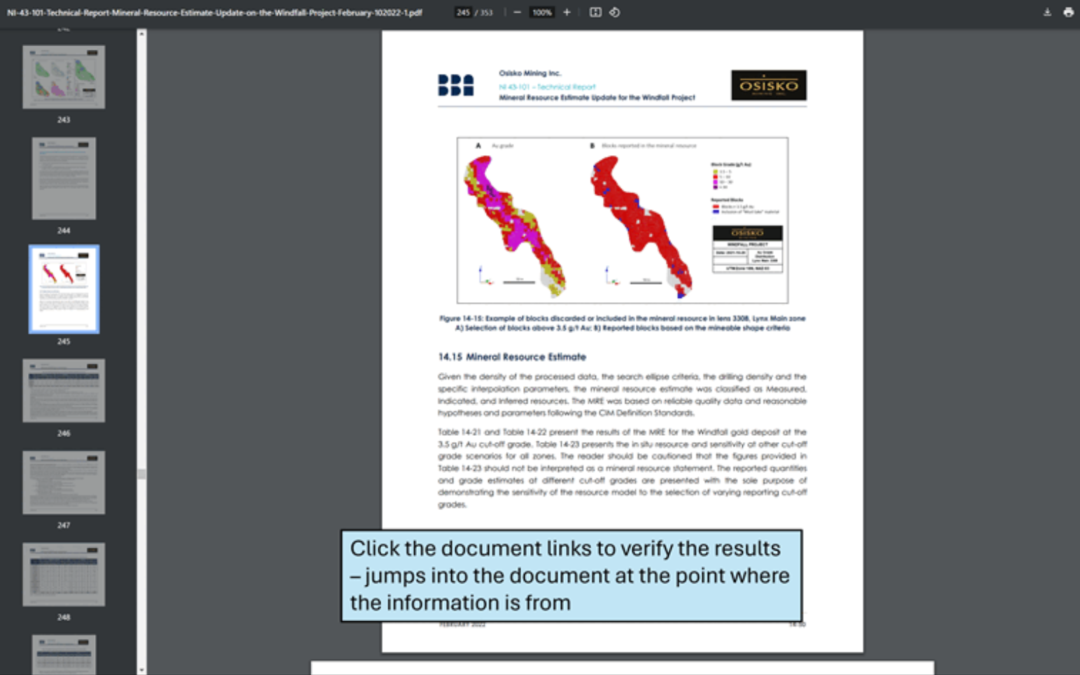
GeoBot – Your Geological AI Assistant
Are you looking for a smarter, faster way to get insights from your GeoClerk search results? We’ve got just the tool for you! Introducing GeoBot – your personal AI assistant, purpose-built for geological exploration. Unlike other generative AI...
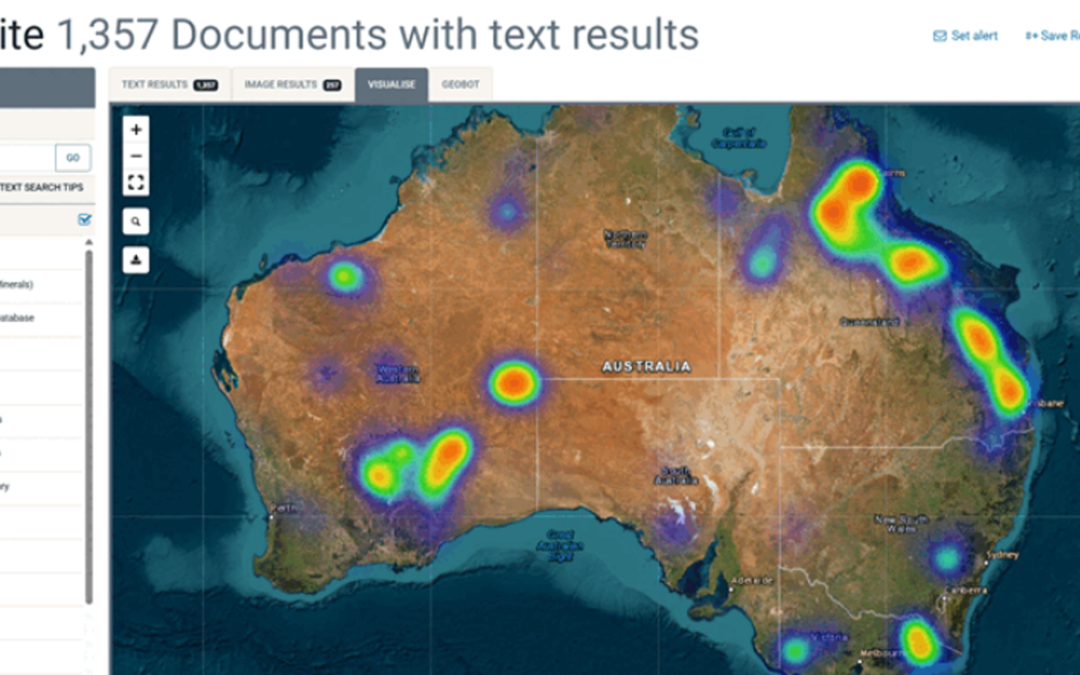
View Results Aggregated by Document
When presented with the results of a search, a large number of images may come from a small number of documents, so to get a quicker idea of the documents turned up, you can now aggregate your results at the document level as well as in the...
GeoClerk launches Canada expansion with public regulatory filings feed including SEDAR® documents
Searcher, a leading provider of global multi-client geoscience solutions, is excited to announce the launch of the first phase of its new Canadian data package on GeoClerk, the company’s flagship search and discovery platform. A direct feed of...
Northern Star Resources Unveils Geoscience Initiative with GeoClerk: Mapping the Path to Discovery
Northern Star Resources Limited (ASX:NST), a leading Australian gold producer, has undertaken a geoscience initiative to improve their research capabilities with GeoClerk. In a strategic move, Northern Star has recently undertaken a monumental...
GeoClerk Launches Game-Changing ASX Feed
Searcher, a leading provider of global multi-client geoscience solutions, is excited to announce the launch of its new ASX feed feature on GeoClerk, the company’s flagship search and discovery platform. This represents a significant milestone in...

Unlock your GeoClerk Potential...
Stay up-to-date with GeoClerk’s monthly newsletter. Get the latest news, feature updates, and handy tips to streamline your workflow—plus expert insights to help you thrive.
Fill in the form below to join our community today!